Solar Security Camera South Africa: The Complete Buyer’s Guide for 2026
If you’ve been searching for a solar security camera South Africa guide that actually understands local conditions — Eskom schedules, SA crime patterns, rand-denominated budgets, and the specific challenges of securing a South African property — this is it. This isn’t a copy-paste review written for a UK suburb. It’s built for South African homes, businesses, and farms, by people who deal with the same load shedding, the same security concerns, and the same budget pressures you do.
Whether you’re buying your first camera or expanding an existing setup, this guide covers everything you need to make a smart decision.
Why Solar Security Cameras Make More Sense in South Africa Than Almost Anywhere Else
South Africa is arguably the ideal market for solar security cameras, and the reason is straightforward — Eskom. Traditional wired CCTV systems go dark the moment load shedding hits unless you’ve invested in a UPS or inverter to back them up. Solar cameras don’t have that problem. They generate and store their own power, operate completely off-grid, and keep recording through every stage of load shedding without any additional infrastructure.
Beyond load shedding, SA’s solar resource is exceptional. Johannesburg averages over 2,500 sunshine hours per year. Cape Town, Durban, Pretoria — all comfortably in the same range. That means solar panels on these cameras charge fully and consistently, even in winter. A properly specified solar camera in South Africa will almost never run flat from lack of sun. You’d struggle to find a better environment for this technology anywhere in the world.
Solar Security Camera South Africa: Understanding the Local Market
The South African solar camera market has matured significantly since 2022. What was once a niche, expensive product is now widely available at price points accessible to ordinary SA households. Here’s an honest overview of what the local market looks like in 2026:
| Tier | Price Range | What You Get | Best For |
|---|---|---|---|
| Budget | R600–R950 | 1080p, IR night vision, 2W panel, basic app | Secondary cameras, low-risk positions |
| Mid-Range | R1,200–R1,800 | 2K, colour night vision, 3–5W panel, SD storage | Gates, driveways, main entry points |
| Premium | R2,500–R4,000 | 4K, AI detection, 6W+ panel, spotlight, dual storage | Large properties, farms, businesses |
| Professional | R4,500+ | Multi-camera systems, NVR, enterprise-grade | Commercial, industrial, estates |
The mid-range tier is where the vast majority of South African homeowners should be shopping. It covers every meaningful use case — load shedding resilience, useful night vision, local storage without monthly fees — at a price that makes sense for an SA household budget.
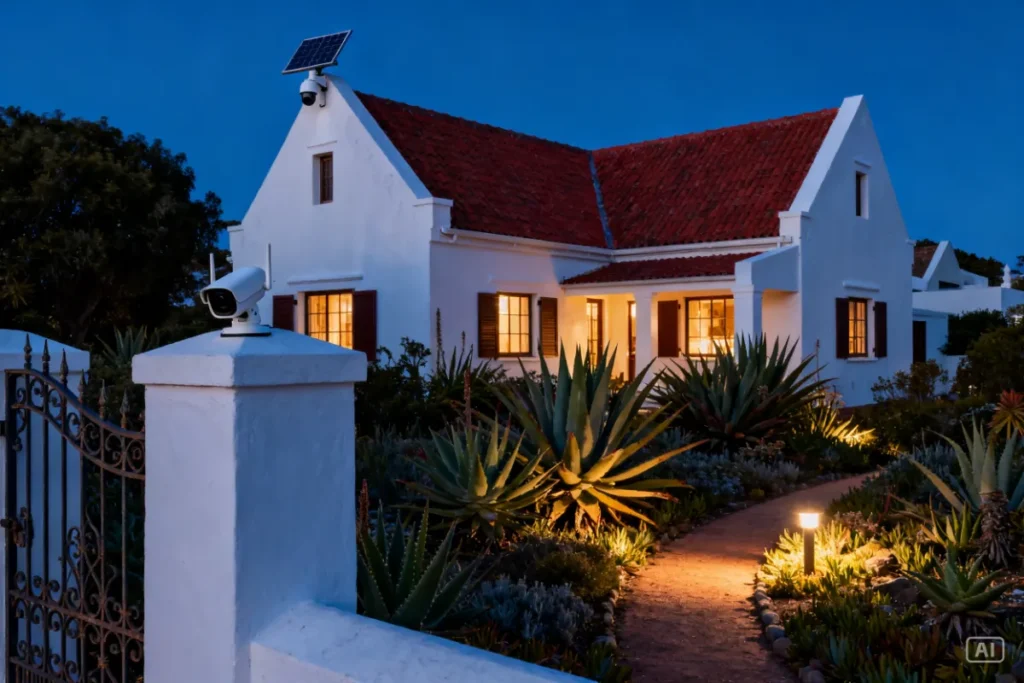
The 8 Best Positions for a Solar Security Camera on a South African Property
Placement is as important as the camera itself. A great camera in the wrong position produces useless footage. These are the eight positions that deliver the most security value on a standard SA property:
1. Front gate or driveway entrance The single highest-value position on any SA property. Captures everyone entering and exiting, number plates of vehicles, and approach behaviour. This is your first camera if you’re starting with one.
2. Front door Captures package deliveries, visitors, and anyone who gets past the gate. Position at 2.5 metres, angled down to capture face height.
3. Side passage (left and right) The most common entry point for break-ins is not the front gate — it’s the side passage. A camera here covers blind spots that a gate camera can’t see.
4. Back garden or rear access Back walls and rear access points are low-visibility and frequently targeted. A solar camera here requires no cabling and installs in minutes.
5. Garage or carport Vehicle theft remains one of the most common crimes in SA. A camera covering your garage or carport adds a layer of protection that’s often overlooked.
6. Outbuilding or domestic worker quarters A solar camera is ideal here — no need to run a cable from the main house. Covers a separate structure independently.
7. Pool area Relevant both for security and for liability on properties with domestic staff or children. Solar placement is usually straightforward in an open outdoor area.
8. Front boundary wall (facing street) Captures street activity, suspicious loitering, and vehicle movements before anyone approaches the property. Position high enough to avoid easy tampering.
Solar Security Camera South Africa: How to Handle Load Shedding Like a Pro
Load shedding is the single biggest technical challenge for any home security system in South Africa, and it’s where solar cameras have an undeniable edge. Here’s how to build a setup that keeps your full security system running through any stage:
The camera itself — sorted. A solar camera is completely off-grid. No Eskom input needed at any stage.
Your WiFi router — this is where most people’s setups fall apart. If your router goes off during load shedding, your camera can’t send alerts, stream live footage, or upload to cloud storage. The fix is a Mini UPS — a small battery backup that keeps your router live for 4–8 hours during an outage. It’s one of the most valuable R300–R500 purchases a South African homeowner can make.
Your smartphone notifications — as long as your router is on mobile data or UPS-backed, motion alerts will reach your phone even during load shedding. Set your camera app to push notifications and make sure mobile data is enabled as a router backup.
Local SD card storage — always have a micro SD card installed in your camera. If your internet goes down completely, footage is still recorded and stored locally. When power and connectivity restore, you can review anything that was captured during the outage.

Comparing the Best Solar Camera Features for South African Conditions
Not all features matter equally in SA. Here’s how to prioritise based on local conditions:
| Feature | SA Importance | Reason |
|---|---|---|
| Off-grid solar operation | ⭐⭐⭐⭐⭐ | Non-negotiable given Eskom’s schedule |
| Colour night vision + spotlight | ⭐⭐⭐⭐⭐ | Crimes peak after dark during load shedding |
| Local SD card storage | ⭐⭐⭐⭐⭐ | Internet drops during outages — local backup essential |
| IP66 weatherproofing | ⭐⭐⭐⭐ | SA summer storms, Highveld hail, coastal humidity |
| AI person/vehicle detection | ⭐⭐⭐⭐ | Reduces false alerts from animals, wind, and street traffic |
| Two-way audio | ⭐⭐⭐ | Useful for gate communication and deterrence |
| Cloud storage | ⭐⭐⭐ | Good backup but data costs and load shedding limit reliability |
| Pan and tilt | ⭐⭐ | Useful for large areas but adds complexity and cost |
| 4G SIM card slot | ⭐⭐⭐⭐ | Essential for remote properties with no WiFi |
Step-by-Step: Setting Up Your First Solar Security Camera in South Africa
This applies whether you’re installing at a townhouse in Sandton or a smallholding in Limpopo:
- Download the camera app first. Before you touch a drill, set the camera up indoors via the app. Connect it to your WiFi, create your account, and make sure live footage streams correctly. Troubleshoot connectivity issues on the ground, not on a ladder.
- Insert your micro SD card. Do this before mounting. A 64GB card gives you 7–14 days of rolling footage depending on recording settings. Format it in the app if prompted.
- Choose your mounting position. Use the sun position guidelines — panel facing north, camera facing your coverage zone. Check WiFi signal strength with your phone at the exact spot before committing.
- Mark and drill your fixing points. Use the camera mount as a template. Drill into brick or concrete — never rely on adhesive mounts for a permanent outdoor installation in SA conditions.
- Mount and angle the camera. Height of 2.5–3 metres, angled down 15–20 degrees. The top of the coverage zone should be at 2 metres height in your footage.
- Configure detection zones in the app. Draw your motion detection zone to cover the entry point, not the full field of view. Exclude street movement, tree branches, and neighbouring properties to minimise false alerts.
- Enable spotlight and motion alerts. Activate the LED spotlight on motion and turn on push notifications. Test by walking through the zone and checking that your phone receives the alert within 5–10 seconds.
- Test night vision after dark. Walk through the zone at night and review the footage. Adjust angle if coverage misses the key entry point. Clear any reflective surfaces within 1–2 metres of the lens.
Solar Security Cameras for Different SA Property Types
South Africa has extraordinary diversity in property types, and the right camera setup varies accordingly:
Suburban townhouse or complex One or two cameras cover most needs — front door and a side passage. Body corporate rules usually allow solar cameras on outer walls without permanent modifications. 4K Solar Camera is the most popular choice in this category.
Freestanding suburban home Three to four cameras is the standard recommendation — gate, front entrance, back garden, and one side passage. Start with the gate and expand.
Rural smallholding or farm Solar cameras are practically the only viable wireless option at distance from the main house. A 4G SIM card-enabled model eliminates the WiFi range problem entirely. Pair with a perimeter alarm for complete coverage.
Rental property or Airbnb Solar cameras are ideal — no permanent wiring, easy to install and remove between tenants. Disclosure to guests is required by law for any recording device at an Airbnb. Position cameras at entrances only, never inside.
Small business or spaza shop A two-camera setup covering the entrance and till area is a practical starting point. Pair with a visible deterrent camera (even a dummy) in a secondary position to reinforce the visual effect.
Recommended Solution: The Setup That Works Across SA
For the majority of South African homeowners, the 4K Solar Camera delivers everything this guide covers in a single unit — 2K resolution, colour night vision with LED spotlight, 5W solar panel, local SD storage, and a stable app with AI motion detection. This is consistently the most popular solar camera setup we’re seeing across SA properties right now, from Joburg townhouses to Cape Town freestanding homes. No subscription fees, no electrician, no Eskom dependency. Installation takes under 30 minutes and requires nothing more than a drill and a Phillips screwdriver. Perfect for first-time buyers and experienced homeowners expanding an existing setup alike.
For the complete picture on every aspect of solar camera ownership in South Africa — from installation to advanced monitoring — the Ultimate Guide to Solar Security Cameras in South Africa is your reference point.
Zack’s Verdict
South Africa is one of the best countries in the world to use solar security cameras, and also one of the places that needs them most. That combination makes this one of the clearest buying decisions you’ll make for your home. You get off-grid security that doesn’t care about Eskom, footage that holds up in court or with SAPS, and a setup that costs a fraction of traditional CCTV. The technology is mature, the price is right, and the load shedding argument alone closes the deal. Stop putting it off. Pick a camera, cover your gate, and expand from there. The first one changes how you feel about your home’s security overnight.
FAQ: Solar Security Camera South Africa
Q: Are solar security cameras legal in South Africa? Yes. Recording on your own property for security purposes is entirely legal in South Africa. You may not record inside a neighbour’s property or in areas where people have a reasonable expectation of privacy. For Airbnb properties, you are legally required to disclose the presence of any recording devices to guests.
Q: How long do solar security cameras last in SA conditions? A quality mid-range or premium solar camera should last 3–5 years with basic maintenance. The solar panel typically outlasts the camera body. Battery capacity degrades over time — most lithium batteries retain around 80% capacity after 500 charge cycles, which equates to roughly 3–4 years of daily use.
Q: Do solar cameras work well in Cape Town’s winter rain? Yes, provided the camera has at least an IP65 rating. Cape Town winters are the most challenging for solar charging in SA — fewer sunshine hours and more overcast days. Choose a camera with a higher-wattage panel (5–6W) and larger battery (12,000+ mAh) if you’re in the Western Cape.
Q: Can I connect a solar camera to my existing DVR or NVR system? Most consumer solar cameras are standalone WiFi units and don’t connect to traditional DVR systems. If you need integration with an existing NVR, look for cameras that support RTSP streaming or ONVIF protocol — this is a feature on some premium models but not common in the mid-range.
Q: What’s the best way to protect a solar camera from theft in South Africa? Mount at 2.5–3 metres minimum — difficult to reach without a ladder. Use tamper-resistant screws if your mounting bracket supports them. Enable tamper alerts in the app. Some homeowners add a security cage around the unit in high-risk areas. The camera’s deterrent value usually outweighs the theft risk.
Q: Do I need to pay for cloud storage? Not if your camera has a micro SD card slot, which most mid-range and premium models do. Cloud storage is optional and adds a monthly fee. A 64GB SD card provides 7–14 days of rolling footage at no ongoing cost. Cloud is a useful secondary backup but not a necessity.
Q: Will a solar camera work on a property with no WiFi? Yes, if you choose a model with a 4G SIM card slot. These cameras connect directly to the mobile network and don’t need a WiFi router. They’re ideal for farms, remote properties, or any location where running fibre or WiFi isn’t practical. Data costs for a single camera are typically modest — around 2–5GB per month depending on recording settings.
Q: How many cameras do I actually need for a standard SA home? Start with two — your front gate or driveway entrance and your highest-risk secondary point (usually a side passage or back access). That covers the most common entry routes for the majority of SA residential break-ins. Expand from there once your initial setup is running well.
Q: Can a solar camera footage be used as evidence with SAPS? Yes. Footage from any security camera can be submitted as evidence. For best results, use 2K or 4K resolution, ensure correct date and time settings in the camera app, and back up relevant footage to a separate device or cloud storage as soon as possible after an incident. SAPS may also request raw footage from your SD card directly.
Q: Is there a South African warranty or after-sales support for solar cameras? This varies by brand and retailer. Always buy from a supplier with a clear SA return and warranty policy. Cameras sold through Zacks Bargains come with local after-sales support — you’re not dealing with an overseas supplier who won’t respond when something goes wrong.
Conclusion: South Africa Needs This Technology — And It’s Finally Affordable
The combination of load shedding, high crime rates, and excellent solar resources makes South Africa the perfect market for solar security cameras. The technology has caught up to the need, and the price has come down to the point where there’s no practical reason to leave your gate or driveway unmonitored. Whether you’re in a complex in Pretoria, a freestanding home in Durban, or on a plot in the Northern Cape, there’s a solar camera setup that works for your property and your budget.
Head to Zacks Bargains to browse the full range — every camera on the site has been selected with South African conditions in mind, and every price is in rands with no import surprises.