Best Security Camera During Load Shedding: What Actually Keeps Working When Eskom Cuts Out
Finding the best security camera during load shedding is one of the most searched security questions in South Africa right now — and for good reason. Most traditional CCTV systems go completely dark the moment Eskom cuts the power. No recording. No alerts. No live view. Just a blank screen during exactly the hours criminals know your defences are down. This article cuts through the noise and tells you which camera types keep working through every load shedding stage, what to look for, and what setup gives you genuine 24/7 protection regardless of the schedule.
Why Most Security Cameras Fail During Load Shedding
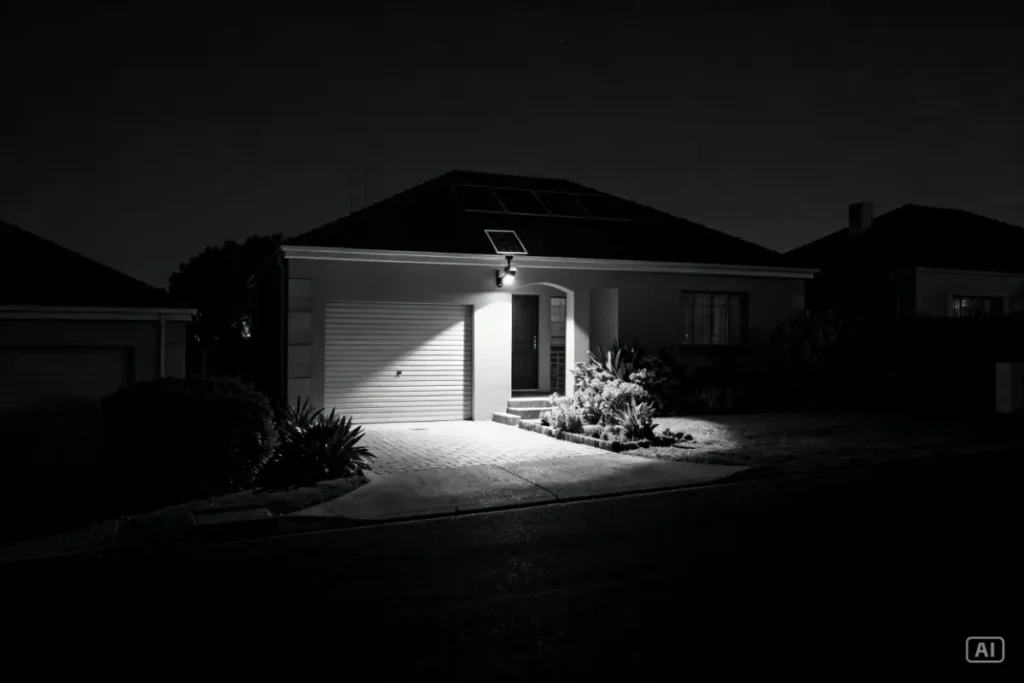
Standard wired CCTV systems — the type connected to a DVR and powered from your DB board — stop working the moment your grid power cuts. No power to the DVR means no recording. No power to the cameras means no footage. Even if the camera itself has a small buffer, without the DVR running there’s nowhere for that footage to go. It’s a fundamental vulnerability that Eskom’s schedule exploits perfectly.
WiFi-dependent cameras face a second layer of failure even if they have their own battery backup. If your router goes off during load shedding, the camera loses its network connection. It may still record locally to an SD card, but live viewing, motion alerts to your phone, and cloud uploads all stop. You’re effectively flying blind on your own property during the highest-risk window of the day.
The 4 Camera Types Ranked for Load Shedding Performance
Not all camera types handle load shedding equally. Here’s an honest ranking from best to worst for South African conditions:
| Rank | Camera Type | Load Shedding Performance | Why |
|---|---|---|---|
| 1st | Solar-powered WiFi camera | ⭐⭐⭐⭐⭐ | Fully off-grid — generates and stores its own power |
| 2nd | Battery-powered WiFi camera | ⭐⭐⭐⭐ | No grid dependency but needs regular recharging |
| 3rd | Wired camera + UPS backup | ⭐⭐⭐ | Works during outages but UPS runtime is limited |
| 4th | Standard wired CCTV (no backup) | ⭐ | Goes dark immediately when power cuts |
The verdict is clear. For South African conditions, a solar-powered camera is the strongest solution because it removes Eskom from the equation entirely — not just for a few hours, but permanently. It doesn’t matter whether load shedding runs 2 hours or 10 hours. The camera keeps recording, the spotlight keeps activating on motion, and alerts keep reaching your phone as long as your router stays live.
Best Security Camera During Load Shedding: What Specs to Prioritise
When shopping specifically for load shedding resilience, these are the specs that determine whether a camera performs or fails:
Solar panel wattage (3W minimum, 5W preferred) The panel is what keeps the battery topped up day after day without any input from you. A 2W panel struggles to fully recharge a large battery on a short winter day. A 5W panel charges quickly and maintains a healthy battery even through overcast periods.
Battery capacity (10,000 mAh minimum) This is your reserve tank for nights, cloudy days, and extended load shedding. A 10,000 mAh battery carries a mid-range camera through 2–3 days without any solar input. During a standard Stage 4 or Stage 6 schedule, you’re drawing from the battery for 4–10 hours per day — a larger battery means more headroom.
Local SD card storage During load shedding your internet connection may drop even if the camera stays powered. A micro SD card ensures footage is recorded and stored locally regardless of connectivity. This is non-negotiable for load shedding resilience — cloud-only storage fails exactly when you need it most.
LED spotlight with motion activation Load shedding kills street lights, neighbour’s security lights, and ambient lighting across your area. A camera with a built-in LED spotlight that activates on motion produces full-colour footage in total darkness independently of any external light source. Without a spotlight, night vision defaults to grainy infrared black-and-white during the darkest possible conditions.
WiFi router backup (not a camera spec but critical) A Mini UPS for your router is the missing piece of most SA home security setups. It keeps your router live for 4–8 hours during load shedding, maintaining the camera’s network connection for live viewing, remote alerts, and cloud backup. Without it, even the best solar camera loses its remote monitoring capability the moment your router loses power.
Step-by-Step: Building a Load-Shedding-Proof Camera Setup
Follow this sequence to build a setup that genuinely doesn’t care about Eskom’s schedule:
- Choose a solar camera with a 5W panel and 10,000+ mAh battery. This is your power foundation. Everything else depends on getting this right.
- Insert a 64GB micro SD card before mounting. Format it in the app. This is your local backup that records regardless of internet connectivity.
- Mount at 2.5–3 metres on your boundary wall or gate pillar. Angle the solar panel to face north for maximum daily charge. Confirm WiFi signal strength at the mounting position before drilling.
- Enable LED spotlight on motion detection in the app. This is often disabled by default. Turn it on — it’s your most important load shedding feature.
- Connect a Mini UPS to your WiFi router. This single step keeps your entire remote monitoring system alive during outages. Most mini UPS units take 5 minutes to set up.
- Enable mobile data failover on your router if available. Some routers support a SIM card or mobile data backup. If yours does, activate it — this keeps your camera online even if fibre or ADSL drops during load shedding.
- Test the full system during a load shedding window. Manually switch off your DB board or wait for the next scheduled cut. Confirm that your phone receives motion alerts, live view loads, and that SD recording continues. Fix any gaps before you rely on the system.
What Happens to Your Footage During Load Shedding?
This depends entirely on your storage setup, and it’s worth understanding clearly before an incident happens:
If you have SD card storage enabled: footage records continuously to the card regardless of internet connectivity or power status. When load shedding ends and connectivity restores, cloud sync (if enabled) resumes automatically. Your footage from the outage window is safe on the card.
If you have cloud-only storage: footage recording pauses if the camera loses its internet connection during load shedding. If your router is on a UPS and stays live, cloud recording continues. If your router goes off, that window of footage is lost permanently.
If you have both SD and cloud: the strongest setup. Local recording never stops, and cloud provides an off-site backup that’s accessible even if someone physically steals or destroys the camera.
The practical takeaway: always use SD card storage as your primary. Cloud is insurance on top of that foundation.
Recommended Solution: The Setup SA Homeowners Are Using Right Now
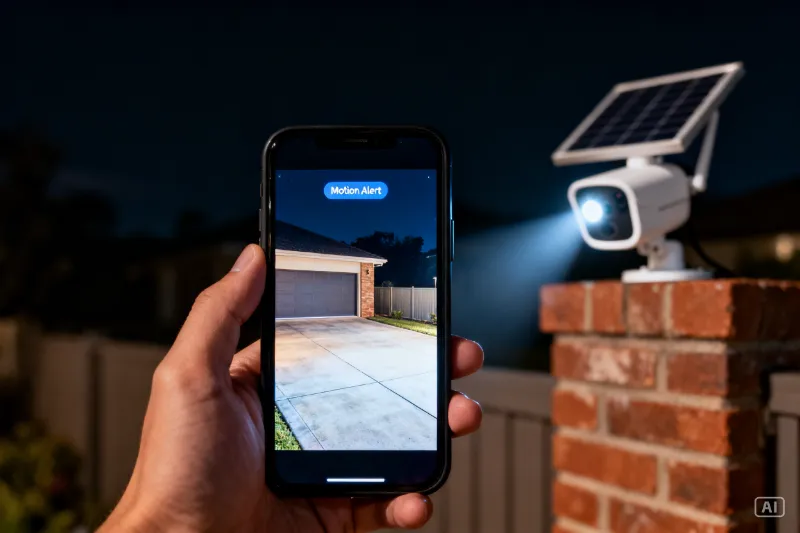
For South African homeowners who want genuine load shedding resilience, the 4K Solar Camera paired with a Mini UPS for the router is the most complete off-grid security setup available at a mid-range SA budget. The camera runs on a 5W solar panel with a 15,000 mAh battery, records locally to SD card and cloud simultaneously, and activates a full-colour LED spotlight on motion — all completely independent of Eskom. This is one of the most popular setups we’re seeing locally right now among SA homeowners who’ve experienced the frustration of finding blank footage after a load shedding break-in. Simple DIY installation, no electrician required, and no subscription fees for local storage. Perfect for any SA property where gate or driveway coverage needs to be reliable 24 hours a day regardless of the schedule.
For a broader look at all solar camera options and how to choose the right one for your property, check out the Ultimate Guide to Solar Security Cameras in South Africa.
Zack’s Verdict
Load shedding and home security are two of the biggest daily stresses for South African homeowners, and the frustrating thing is that most people’s security systems make load shedding worse — not better. A wired camera that goes dark at Stage 4 isn’t a security system. It’s a false sense of security. A solar camera with a UPS-backed router costs less than R2,500 for a complete gate setup and genuinely doesn’t care what Eskom is doing. That’s the only standard worth accepting for a South African home in 2026.
FAQ: Best Security Camera During Load Shedding
Q: Will a solar security camera keep recording during Stage 6 load shedding? Yes. A solar camera is completely off-grid and unaffected by load shedding at any stage. It records from its own battery, which is charged by the solar panel during daylight hours. Stage 6 running 6 hours twice a day has no impact on a properly specified solar camera with a 10,000+ mAh battery.
Q: Can I still view my camera live on my phone during load shedding? Yes, provided your WiFi router stays live. Connect a Mini UPS to your router and it will run for 4–8 hours during an outage. With the router on backup power, your solar camera maintains its network connection and live viewing, motion alerts, and cloud uploads all continue normally.
Q: What if my router goes off during load shedding — does the camera still record? Yes, if you have a micro SD card installed. The camera records locally to the SD card regardless of internet connectivity. Footage is saved on the card and can be reviewed or exported when connectivity restores.
Q: How long does a solar camera battery last through load shedding at night? A mid-range camera with a 10,000–15,000 mAh battery will run through an entire night’s worth of load shedding without issue. The battery is recharged the following day by the solar panel. Extended overcast periods of 3–4 consecutive days are the only scenario that meaningfully stresses a mid-range battery — premium cameras with 15,000+ mAh batteries handle this comfortably.
Q: Is a battery-powered camera a good alternative to solar for load shedding? A battery-powered camera also works during load shedding but requires manual recharging every 2–8 weeks depending on the model and usage. Solar cameras recharge themselves daily and require no maintenance input. For a gate or driveway camera you want running indefinitely without intervention, solar is the better choice.
Q: Do wired CCTV systems with a UPS work during load shedding? They work for the duration of the UPS battery — typically 2–6 hours depending on the UPS size and the number of cameras on the system. During extended Stage 6 cuts this may not be sufficient. Solar cameras are a more reliable long-term solution because they don’t rely on a finite UPS reserve.
Q: Should I tell my armed response company about my load shedding camera setup? Yes. Let them know which cameras are solar-powered and which are grid-dependent. Some armed response companies can monitor live feeds from your camera app directly. Share access with them so they can respond to motion alerts even during outages.
Conclusion: Don’t Leave Your Gate Unprotected During Load Shedding
The best security camera during load shedding is one that doesn’t need the grid to function at all. Solar cameras with local SD storage, a built-in LED spotlight, and a UPS-backed router give South African homeowners a complete, Eskom-proof security setup at a price point that makes sense for an SA household budget. Stop leaving your gate dark during Stage 4. The technology to fix it costs less than a month’s armed response subscription.
Head to Zacks Bargains to see the full load-shedding-ready camera range — all priced in rands, all selected for South African conditions.