Securing your property using a Solar security camera with SIM card
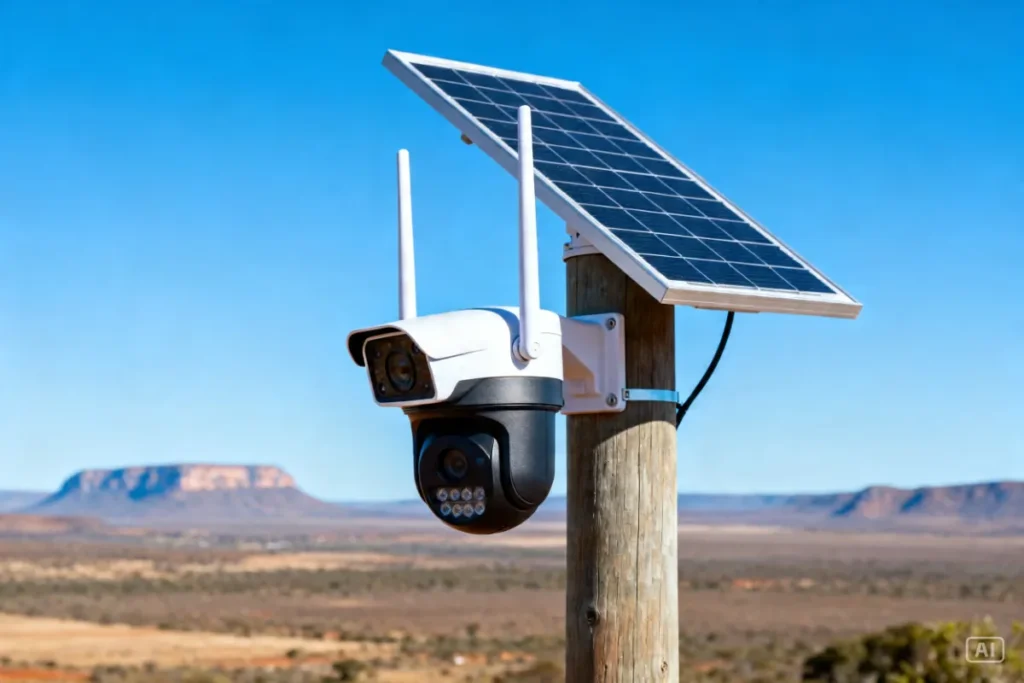
When you need to protect a property that has absolutely zero internet connection, traditional Wi-Fi setups are completely useless. A Solar security camera with SIM card is the ultimate off-grid defense system, allowing you to monitor remote areas without relying on fiber or Eskom. Whether you are keeping an eye on a distant farm gate, a construction site, or just a dark corner of your yard where the Wi-Fi drops, this technology changes everything. You simply pop in a data SIM, and the camera connects directly to the nearest cellular tower. It is total independence, ensuring your family and assets stay protected even in the middle of nowhere during a Stage 6 blackout.
Why a Solar security camera with SIM card is the ultimate off-grid solution
A Solar security camera with SIM card is completely immune to both power cuts and internet outages because it generates its own electricity and uses independent cellular networks to communicate. When load shedding knocks out your neighborhood’s main fiber box, standard Wi-Fi cameras instantly go blind and stop sending alerts to your phone.
With a mobile network connection, your security perimeter never drops. You can check the live feed of your driveway or business from anywhere in the country, even if the entire grid has collapsed. It is the most robust, fail-safe way to guarantee you always have eyes on your property when criminals try to take advantage of the dark.
How a 4G solar camera South Africa model works without fiber
These cameras operate exactly like a smartphone, using an internal LTE modem to connect to local networks like Vodacom or MTN to transmit video data. You do not need a router, a mini UPS, or a fiber line to get an off-grid camera no WiFi setup up and running.
The internal lithium battery is kept permanently charged by the attached solar panel during the day. When the PIR motion sensor detects an intruder, the camera wakes up, records the clip, and uses cellular data to instantly push that video straight to your mobile app. It only uses data when it detects movement or when you open the app to view the live feed, making it incredibly cheap to run on a monthly basis.
Step-by-step: Setting up your LTE solar security camera
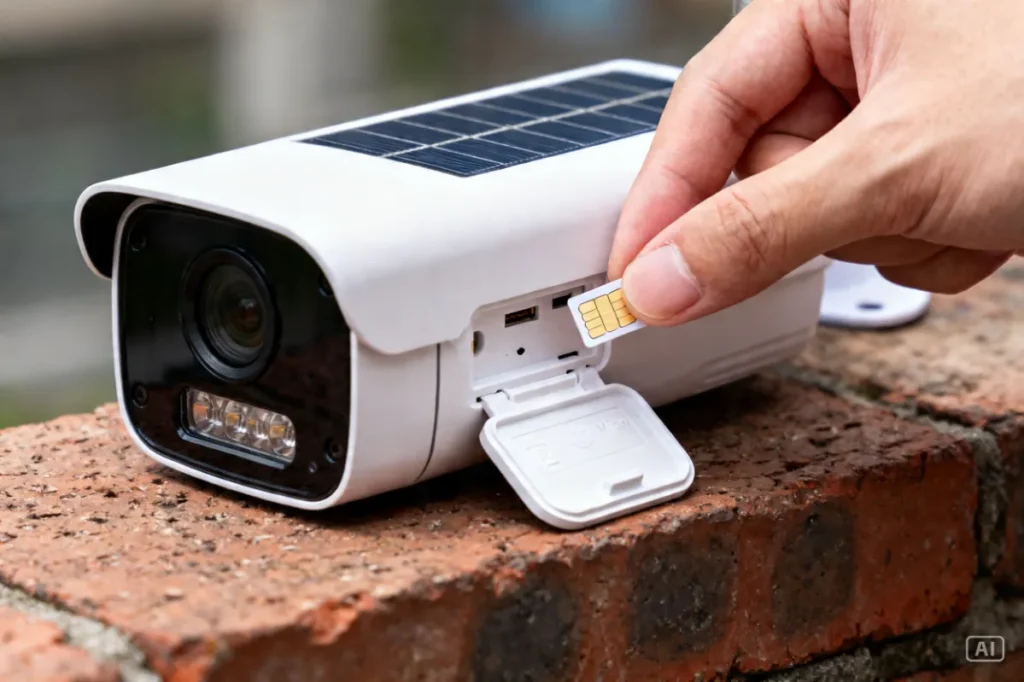
Setting up these cellular cameras takes less than ten minutes because there is absolutely no complicated network pairing or router configuration required. You just need an active, RICA’d SIM card loaded with a small data bundle to get your perimeter secured.
Follow this straightforward sequence to get your SIM card CCTV for farm or home running perfectly:
- Prep the SIM: Insert the new SIM card into your smartphone first to disable any PIN locks and ensure it has active data.
- Insert into camera: Slide the SIM card and a MicroSD storage card into the camera’s waterproof slots before mounting it to the wall.
- Mount the hardware: Drill the bracket into your wall or pole, ensuring the solar panel faces north for maximum African sun.
- Scan and sync: Open the camera’s dedicated app, scan the QR code on the side of the device, and wait for it to register on the cellular network.
- Test the feed: Walk in front of the lens to trigger the motion sensor and confirm that the push notification successfully hits your phone.
Comparing a Solar security camera with SIM card against standard Wi-Fi
A Solar security camera with SIM card can be installed literally anywhere with cell reception, whereas Wi-Fi models must be mounted within close range of your home router. If your property is large or your Wi-Fi signal struggles to reach through thick double-brick walls, cellular technology is the only reliable option.
Wi-Fi cameras are brilliant for close-quarters monitoring, but they completely fail if the router loses power during load shedding. Cellular cameras bypass your home network entirely, meaning they cannot be disabled by criminals cutting the fiber line outside your house.
| Feature | 4G / SIM Card Solar Camera | Wi-Fi Solar Camera |
| Internet Source | Cellular Network (Vodacom/MTN) | Home Wi-Fi Router |
| Range Limit | Anywhere with cell reception | Limited to router Wi-Fi range |
| Load Shedding Risk | Zero (100% Independent) | Fails if router has no mini UPS |
| Running Cost | Monthly data bundle (Prepaid) | Free (Uses existing home internet) |
Recommended solutions for a load shedding camera without WiFi
We recommend investing in rugged, weather-proof 4G hardware that uses high-efficiency solar panels and massive lithium batteries to survive cloudy weeks. You want a device that connects seamlessly to local South African cellular towers without dropping the signal.
This is exactly why we highly recommend the 4K Solar Security Camera in its 4G LTE version. This is one of the most popular setups we’re seeing locally right now for guys wanting to secure building sites or deep yards. It features simple plug-and-play installation, no electrician required, and no fiber connection needed. It is perfect for townhouses, remote workers, renting tenants, or farmers who need an instant, bulletproof perimeter.
If you want to completely blind intruders with light before they even get near the camera, mounting a Solar Street Lamp with Remote nearby is highly effective. To see how these cellular cameras fit into your overall off-grid defense plan, check out our Essential Gadgets Every Home Needs During Load Shedding for the complete breakdown.
Zack’s Verdict
Honestly, trying to stretch a weak Wi-Fi signal down to your front gate using cheap repeaters is a massive headache that never actually works reliably. When the power drops, those repeaters die, and your gate is completely blind to the world.
A cellular solar camera completely solves this problem. It is an entirely self-contained security guard that lives on your wall, powers itself, and texts you the second someone steps onto your grass. Stop messing around with complicated network settings. Buy a 4G camera, buy a cheap prepaid SIM card, and take back total control of your property’s perimeter.
Frequently Asked Questions
Understanding data usage and network signals is crucial when you move away from standard home Wi-Fi. Here are the practical, honest answers to the most common questions South Africans ask about cellular security gear.
- How much data does a 4G solar camera use per month?Most users find that a 1GB to 2GB data bundle is more than enough for a full month. The camera only consumes data when it uploads a motion-triggered clip or when you open the app to watch the live feed.
- Which cellular network is best for these cameras?It depends entirely on the coverage at your specific property. Always use a SIM card from the network (Vodacom, MTN, Telkom) that has the strongest 4G/LTE signal exactly where the camera will be mounted.
- Do I need a monthly subscription for the camera app?No, if you insert a MicroSD card into the camera to store the video clips locally, the app itself is completely free to use with no monthly subscriptions.
- Can criminals hack the Wi-Fi if it uses a SIM card?No, because 4G cameras do not use Wi-Fi at all, they are virtually impossible for local intruders to hack or jam using standard Wi-Fi jamming tools.
- What happens if the cellular network goes down during load shedding?If the local cell tower loses power, the camera cannot send live alerts. However, its PIR sensor will still wake up and record the intruder directly to the internal SD card for you to review later.
- Can I use a voice/call SIM card, or must it be data only?A standard prepaid voice SIM card loaded with a data bundle works perfectly. You do not need a special M2M (machine-to-machine) or data-only SIM card to get it working.
Conclusion
Securing your remote property or Wi-Fi dead zones is no longer a massive, expensive challenge. Cellular off-grid tech gives you the power to monitor any location in South Africa with total reliability and crystal clear footage.
By combining solar power with mobile data, you completely remove Eskom and your internet service provider from your security equation. Head over to Zacks Bargains to browse our range of tough, tested 4G security cameras and lock down your perimeter today.