Solar camera motion detection explained: Stop false alarms
Having solar camera motion detection explained is the very first thing you need to do before mounting a new security system on your perimeter wall. If you do not understand how these wireless devices actually “see” intruders, you are going to spend your entire night getting pinged by your smartphone because a stray cat or a Hadada walked across the lawn. When Eskom drops the grid and your property is pitch black, you need a smart security setup that only alerts you when a real human threat is present. By understanding the technology inside the lens, you can easily fine-tune your cameras to provide bulletproof off-grid security without driving your family crazy with false alarms.
Getting solar camera motion detection explained for South African yards
Getting solar camera motion detection explained starts with understanding that modern off-grid cameras do not just look for visual movement; they look for sudden changes in body heat. They use a specific piece of technology called a Passive Infrared (PIR) sensor to detect the thermal signature of a human walking into a monitored area.
Standard wired cameras often use basic pixel-based detection, which means if the wind blows a tree branch or a car’s headlights sweep across your driveway, the camera thinks it is an intruder. A proper PIR motion sensor camera ignores leaves and shadows completely because they do not give off body heat. This thermal detection is exactly why off-grid cameras are so incredibly efficient and reliable for South African yards during dark load shedding slots.
How solar security cameras detect movement to save battery
These battery-powered devices detect movement by remaining in a low-power “sleep” mode until the infrared sensor detects a sudden heat signature, which then instantly wakes the camera up to start recording. This smart sleep cycle is the absolute secret to how these cameras can run for months on a single solar charge.
If an off-grid camera recorded every single second of the day like a standard wired CCTV system, the internal lithium battery would be completely dead by sunset. Instead, the PIR sensor constantly scans the area using almost zero power. The second a warm body steps into the zone, it triggers the main processor, records the event, sends load shedding camera alerts to your smartphone, and then quickly goes back to sleep to conserve energy.
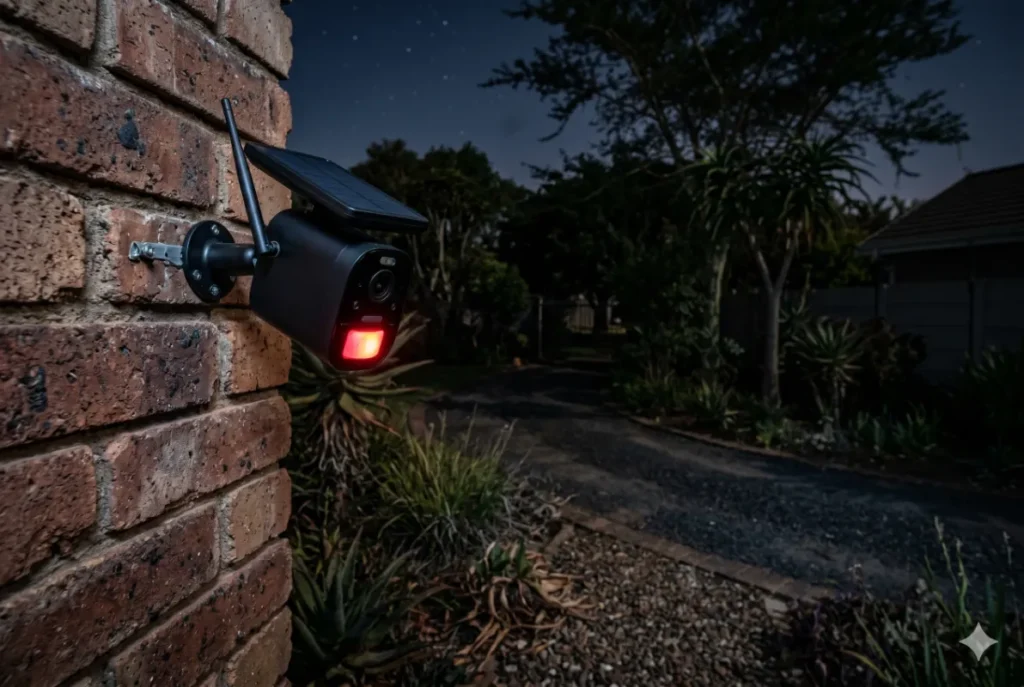
The difference between PIR sensors and pixel detection
PIR sensors detect moving heat signatures to trigger an alarm, whereas pixel detection software simply looks for any change in the visual picture on the screen. Choosing the right sensor technology is the difference between catching an actual trespasser and getting fifty false notifications a night because it is raining.
When you understand this difference, it completely changes how you set up your perimeter defense. Pixel detection is fine for a brightly lit office building, but in a dark South African yard full of moving trees and pets, it is a nightmare.
| Feature | PIR Motion Sensor (Solar Cameras) | Pixel Detection (Standard CCTV) |
| Trigger Method | Moving body heat signatures | Any visual pixel change |
| Battery Drain | Extremely low | Very high (requires wall power) |
| False Alarm Rate | Very low (Ignores moving trees/shadows) | Very high (Triggered by wind/rain) |
| Night Performance | Excellent (Heat does not need light) | Poor (Struggles with shadows/headlights) |
Step-by-step: How to adjust camera sensitivity SA
Adjusting your camera’s sensitivity settings inside the smartphone app is the easiest way to filter out your dogs and focus purely on human-sized threats. You want to dial in the settings so the camera catches a person jumping your wall, but ignores the neighborhood cats walking along the electric fence.
Do not just mount the hardware and leave it on the factory default settings. Follow this straightforward sequence to perfectly tune your motion detection:
- Mount it correctly: Install the camera at an angle facing slightly downward, about 2.5 meters high, so an intruder must walk across its field of view rather than straight at it.
- Open the app settings: Navigate to the “Motion Detection” or “PIR Sensitivity” menu inside your specific camera application.
- Set the sensitivity: Drop the sensitivity from ‘High’ down to ‘Medium’ or ‘Low’ to ensure the sensor ignores small animals and only triggers for larger human heat signatures.
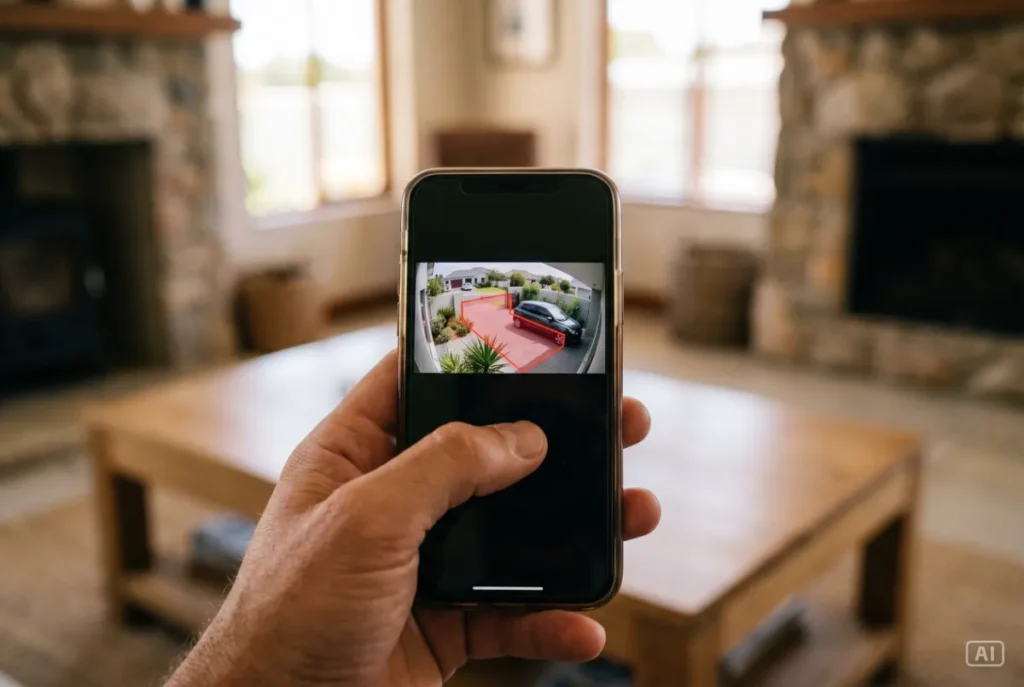
- Draw activity zones: Use your finger on the screen to block out high-traffic areas, like a busy street in the background or a neighbor’s driveway, so the camera ignores them.
- Test the perimeter: Walk across your yard at different distances to confirm that the app sends you an alert precisely when you enter the critical danger zone.
Having solar camera motion detection explained to stop false alarms
Having solar camera motion detection explained allows you to strategically place your hardware away from heat sources that cause frustrating false alarms solar camera triggers. Even the smartest PIR sensors can get confused if you mount them directly above a braai area or facing a hot tin roof that reflects the afternoon sun.
You must think about what the sensor is actually “seeing” in terms of temperature. If you point a PIR camera straight at a busy road, the hot engines of passing bakkies will constantly trigger the system, draining your battery and spamming your phone. By angling the lens down towards your grass and walkways, you give the sensor a cool, stable background, making any human heat signature stand out instantly.
Recommended solutions for your off-grid security
We always advise our customers to buy intelligent, battery-powered hardware that allows them to easily customize their detection zones and sensitivity levels directly from their phones. You want a system that works with you, solving the problem of perimeter defense without requiring a master’s degree in IT to operate.
This is exactly why we highly recommend grabbing a 4K Solar Security Camera for your main outdoor areas. This is one of the most practical options for SA homes because the app allows you to easily filter out pets and vehicles with a single tap. It requires no complicated installation or wiring, making it perfect for townhouses, remote workers, or renting tenants who need instant security.
If you just need to monitor a small patio or a back door, a compact Wi-Fi Solar Camera offers the exact same smart PIR detection in a smaller, more affordable package. To see how these smart sensors fit into your broader home defense strategy, make sure to read our Essential Gadgets Every Home Needs During Load Shedding for the complete picture.
Zack’s Verdict
Honestly, buying a cheap camera with basic pixel detection is a massive mistake that you will regret the very first time the wind blows at night. Your phone will buzz constantly, and eventually, you will just ignore the alerts, completely defeating the purpose of having a security system in the first place.
Taking five minutes to understand how heat-based PIR sensors work changes everything. Buy a quality solar camera, mount it at the correct angle, dial the sensitivity down so it ignores your dog, and take back your peace of mind. It is incredibly simple technology that makes a massive difference to how safely your family sleeps during load shedding.
Frequently Asked Questions
Understanding how thermal sensors behave in the real world is vital for keeping your property secure. Here are the straight, practical answers to the most common questions South Africans ask about motion detection.
- Can a solar camera detect motion through a glass window?No, PIR sensors cannot detect heat signatures through modern glass. If you place a solar camera inside your house pointing out a window, it will not detect anyone walking past outside.
- Why is my camera triggering when there is nothing there?This usually happens if the camera is facing a surface that rapidly changes temperature, like a metal garage door heating up in the sun, or if the sensitivity is set too high for your pets.
- Does the motion detection still work if the Wi-Fi goes down?Yes. The camera’s PIR sensor will still wake up and record the video locally to the internal SD card, but it will not be able to send the live push notification to your phone until the Wi-Fi returns.
- How far away can the camera detect a person?Most high-quality off-grid cameras can accurately detect human body heat from about 8 to 12 meters away, depending on the ambient temperature of the yard.
- Does extreme summer heat affect the PIR sensor?Yes, slightly. On a blazing 35-degree day, the background temperature of your yard is closer to human body heat, which can temporarily reduce the detection range. It performs best at night when the background is cool.
- Can I schedule the motion detection to only turn on at night?Absolutely. Most modern camera apps allow you to set a specific schedule, so the motion alerts only arm themselves when you go to bed, preventing annoying notifications while you are braaiing on the weekend.
Conclusion
You do not have to put up with a security system that cries wolf every time a leaf blows across the lawn. By utilizing smart PIR technology, you can build a highly accurate, off-grid perimeter defense that only reacts to genuine human threats.
Taking the time to adjust your sensitivity settings ensures that when your phone actually pings in the middle of a dark load shedding slot, you know it is something you need to take seriously. Head over to Zacks Bargains to browse our range of intelligent, heat-sensing solar cameras, and secure your property with gear that actually understands the South African environment.